





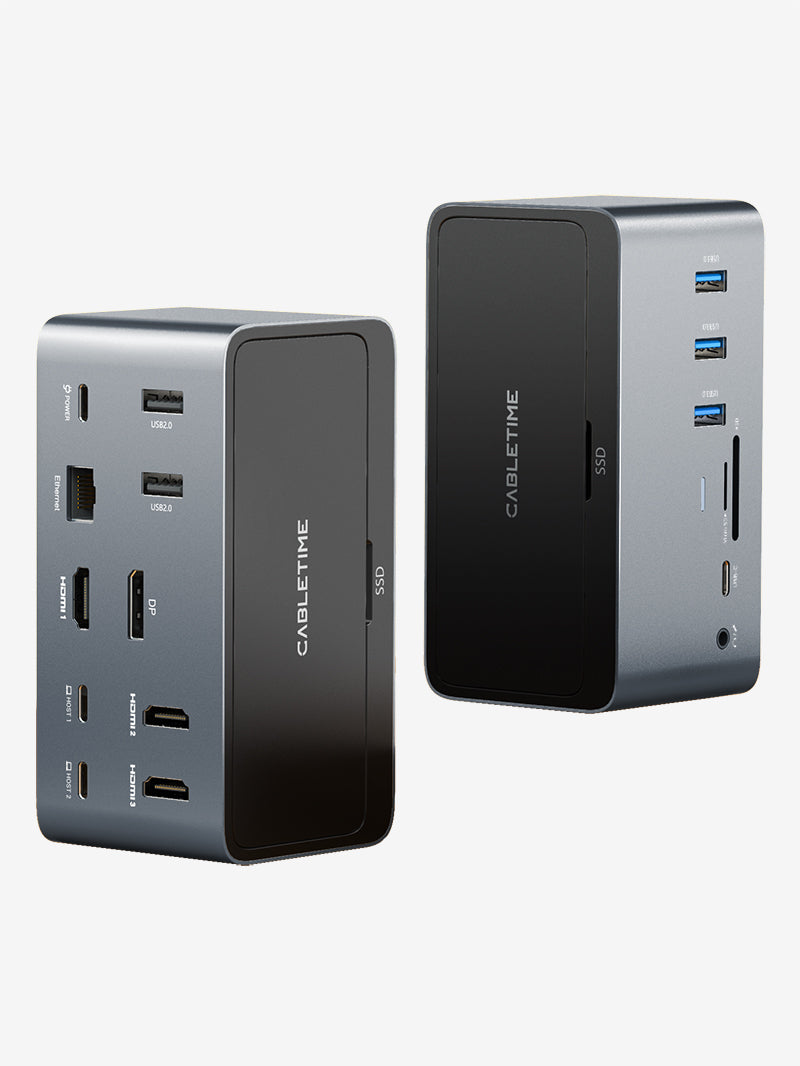
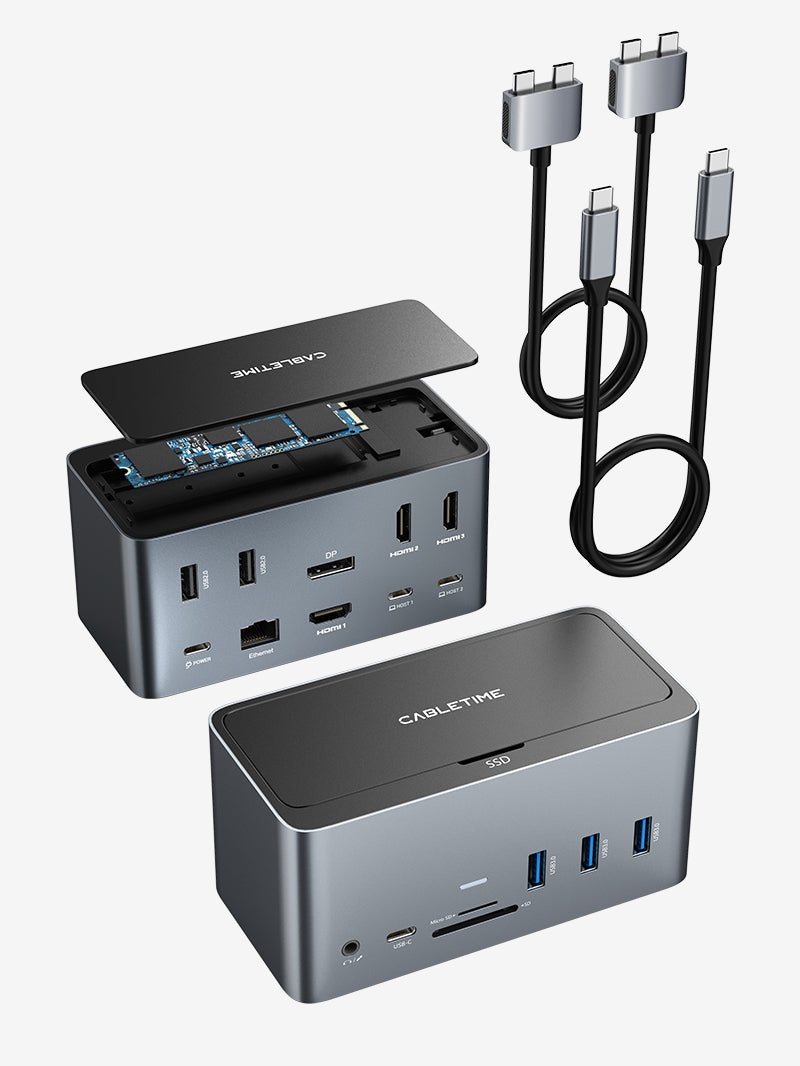




20 IN 1 DisplayLink Thunderbolt 4 Docking Station Triple Monitor for Macbook Pro
20 IN 1 DisplayLink Thunderbolt 4 Docking Station Triple Monitor for Macbook Pro
Shipping & Delivery
Shipping Policy
Last updated: March 19, 2026
Thank you for shopping with CABLETIME. This Shipping Policy explains our order processing times, shipping methods, delivery estimates, shipping restrictions, and other important information related to the delivery of your order.
1. Shipping Fee
We offer free standard shipping on orders over USD $25.00.
Shipping fees for orders below the free shipping threshold will be calculated and displayed at checkout.
2. Order Processing Time
Orders are usually processed within 0–2 business days after payment is confirmed.
Please note that orders are not processed or shipped on weekends or public holidays.
During peak seasons, promotional periods, or due to unforeseen circumstances, processing times may be slightly delayed.
3. Estimated Delivery Time
Estimated delivery time depends on the destination country or region, shipping carrier, customs clearance, and local delivery conditions.
- Order processing time: 0–2 business days
- Estimated shipping time: 4–20 business days
- Total estimated delivery time: Processing time + shipping time
Please note that all delivery times are estimates only and are not guaranteed.
4. Shipping Destinations
CABLETIME ships to most countries and regions where postal or courier services are available.
However, due to logistics limitations, customs restrictions, local regulations, carrier availability, or operational constraints, we are currently unable to ship to certain destinations.
United States exceptions:
- Alaska
- American Samoa
- Guam
- Marshall Islands
- Northern Mariana Islands
- Palau
- Rhode Island
- U.S. Virgin Islands
- Armed Forces Americas
- Armed Forces Europe
- Armed Forces Pacific
International destinations not currently supported:
- Afghanistan
- Angola
- Anguilla
- Antigua and Barbuda
- Bahamas
- Bahrain
- Barbados
- Belize
- Bermuda
- Burkina Faso
- Burundi
- Cameroon
- Cape Verde
- Cayman Islands
- Christmas Island
- Comoros
- Congo (Brazzaville)
- Congo (Kinshasa)
- Cook Islands
- Curaçao
- Djibouti
- Dominica
- Dominican Republic
- East Timor
- Equatorial Guinea
- Eritrea
- Ethiopia
- Falkland Islands
- French Guiana
- French Polynesia
- French Southern Territories
- Gabon
- Gambia
- Ghana
- Grenada
- Guinea
- Guinea-Bissau
- Guyana
- Haiti
- Isle of Man
- Kiribati
- Lebanon
- Lesotho
- Liberia
- Libya
- Liechtenstein
- Madagascar
- Malawi
- Mali
- Martinique
- Mauritania
- Mauritius
- Mayotte
- Montenegro
- Montserrat
- Mozambique
- Namibia
- Nauru
- Netherlands Caribbean
- New Jersey
- Niger
- Nigeria
- Niue
- Norfolk Island
- North Macedonia
- Palestinian Territories
- Papua New Guinea
- Pitcairn Islands
- Rwanda
- Saint Barthélemy
- Saint Helena
- Saint Kitts and Nevis
- Saint Lucia
- Saint Martin
- Saint Pierre and Miquelon
- Saint Vincent and the Grenadines
- Samoa
- Sao Tome and Principe
- Seychelles
- Sierra Leone
- Solomon Islands
- Somalia
- South Georgia and the South Sandwich Islands
- South Sudan
- Sudan
- Suriname
- Eswatini
- Tanzania
- Togo
- Tonga
- Tristan da Cunha
- Turks and Caicos Islands
- Zimbabwe
Shipping availability may change from time to time based on carrier and customs conditions. The most accurate shipping availability will be shown at checkout. If you are unsure whether we can ship to your destination, please contact us at support@cabletimetech.com before placing your order.
5. Duties, Taxes, and Customs Fees
For international orders, import duties, taxes, customs clearance fees, and other related charges may apply depending on your country or region.
These charges, if applicable, are the responsibility of the customer unless otherwise stated at checkout.
CABLETIME is not responsible for delays caused by customs clearance procedures.
6. Order Tracking
Once your order has been shipped, you will receive a shipping confirmation email with tracking information.
Please allow up to 24 hours for the tracking information to become active.
You may also track your shipment through the carrier’s tracking page or a universal tracking platform such as 17TRACK.
7. Address Changes
Please make sure your shipping address is correct before submitting your order.
If you need to change your shipping address, please contact us as soon as possible at support@cabletimetech.com.
Once an order has been shipped, we may not be able to change the delivery address.
8. Delivery Delays
Delivery may be delayed due to factors beyond our reasonable control, including but not limited to:
- Customs inspections or clearance delays
- Severe weather
- Public holidays
- Carrier service disruptions
- Remote delivery locations
- Other force majeure events
We appreciate your understanding in such situations.
9. Multi-Item Orders
If your order contains multiple items, they may be shipped separately depending on stock availability, warehouse arrangements, packaging requirements, or shipping methods.
If this happens, you may receive multiple shipment notification emails and separate tracking numbers.
10. Order Cancellation
If you need to cancel an order, please contact us at support@cabletimetech.com as soon as possible.
- Orders may be canceled before they are processed or shipped
- Once an order has been shipped, it can no longer be canceled
- If you no longer need the item after shipment, please refer to our Return Policy
11. Contact Us
If you have any questions about shipping, delivery, or order status, please contact us:
CABLETIME
Email: support@cabletimetech.com
Your payment information is processed securely. We do not store credit card details nor have access to your credit card information.
Key Features
Key Features
Couldn't load pickup availability

What is a Thunderbolt dock?
What does a Thunderbolt dock do?
• Connect multiple external monitors (up to dual 4K or single 8K)
• Transfer data at up to 40Gbps
• Charge your laptop with up to 100W Power Delivery
• Access more USB-A/USB-C ports, SD card slots, Ethernet, and audio jacks
The Cabletime 20-in-1 Thunderbolt 4 Dock, for example, adds triple-display output, an SSD enclosure, and wide device compatibility.
Do I need a Thunderbolt dock?
• Use multiple monitors
• Want more ports than your laptop offers
• Need faster data transfer and charging
• Prefer a one-cable setup for power, video, and data
It’s ideal for power users, remote workers, creatives, and those who want a clean, high-performance workspace.
Does a Thunderbolt 4 dock work on Mac?
• MacBook Pro and Mac Studio models support dual or triple monitors via Thunderbolt
• M1/M2 base Macs (which support only one external display) can still use DisplayLink drivers to enable multi-monitor setups with docks like the Cabletime Thunderbolt 4 Dock
Are Thunderbolt 4 docks backwards compatible?
• Thunderbolt 3 devices at full speed
• USB4 and USB-C devices with reduced functionality
Older Thunderbolt 2 or 1 devices may need adapters and will have limited support.
Thunderbolt 4 Docking Station with DisplayLink

Unlimited Connectivity
The 20-in-1 Thunderbolt 4 Dock shatters expectations with 20 ports that ensure you never run out of connectivity. Engineered for peak performance, it delivers ultra-fast data transfers, robust 90W charging, and flawless multi-monitor support. It’s the ultimate solution for a limitless workstation.

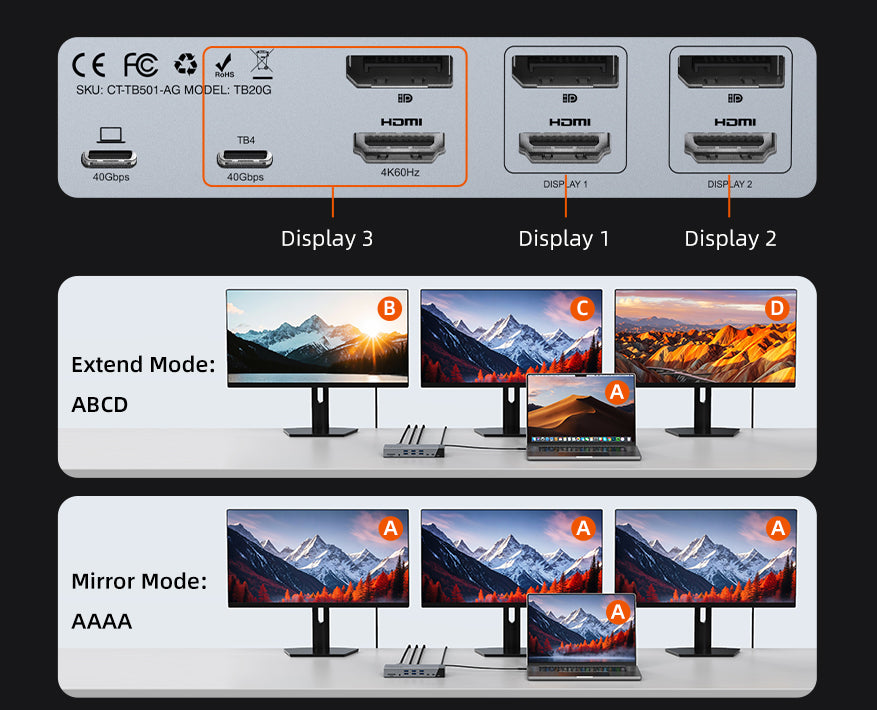
4K Triple Display Mastery on Mac
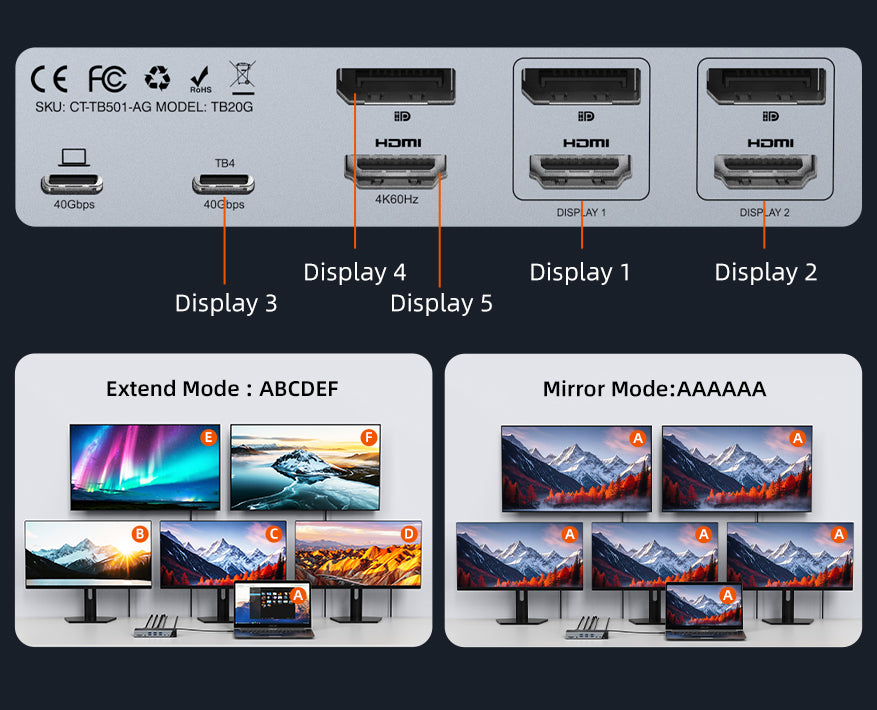
Maximum 5-Screen Display on Windows
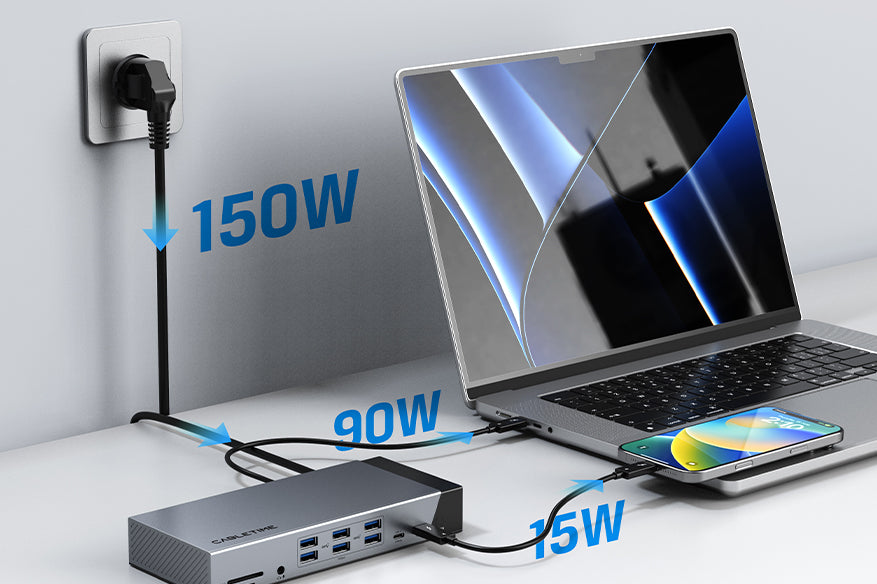
Powerful Charging
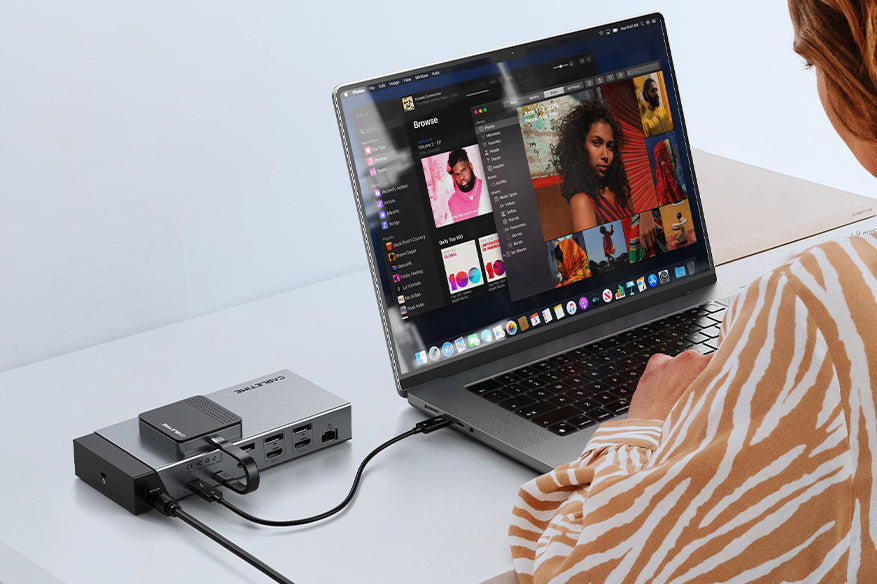
40Gbps Blazing-Fast Data Speeds
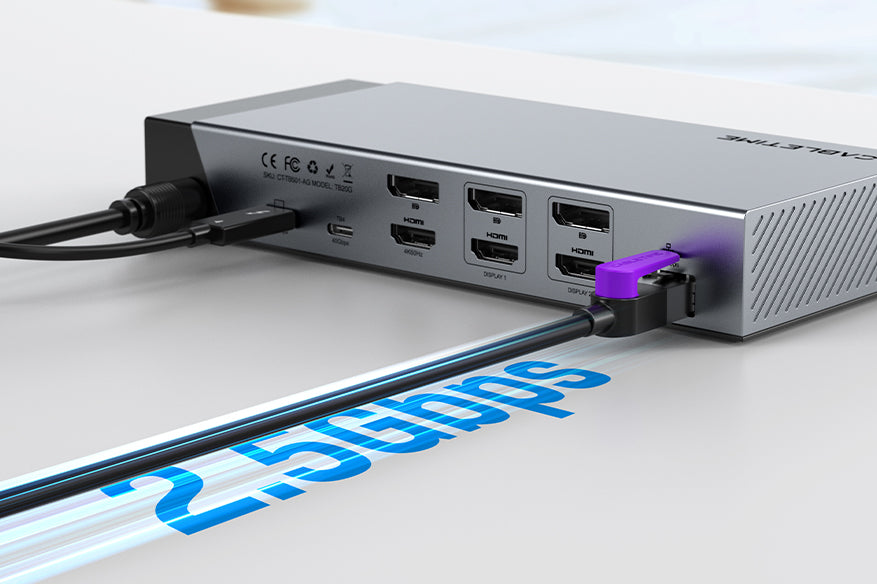
2.5Gbps Ethernet Speed
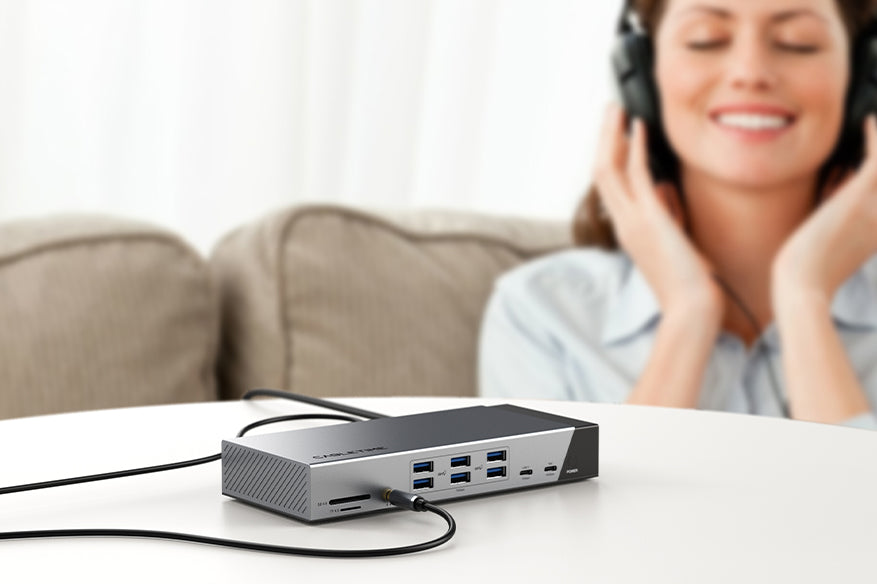
Crisp Audio, Effortless Communication
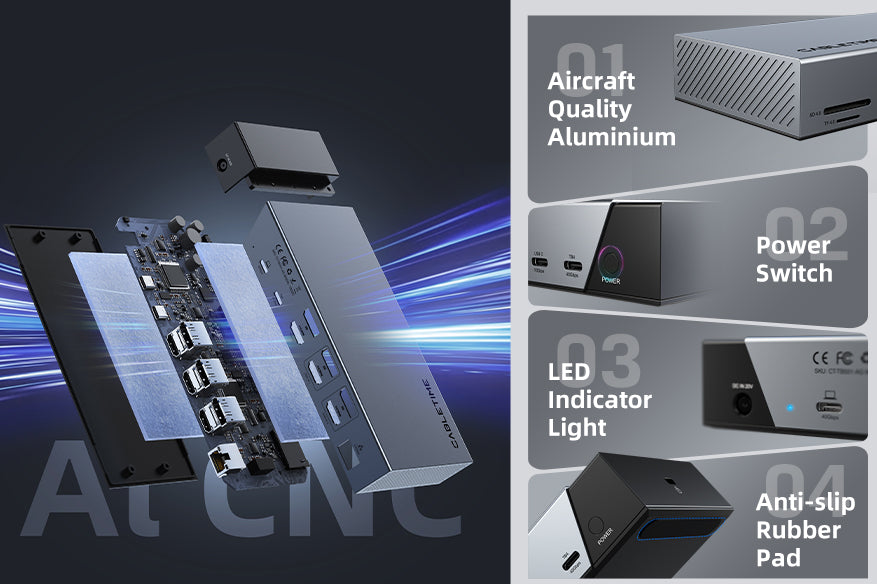
Precision Aluminum Craft
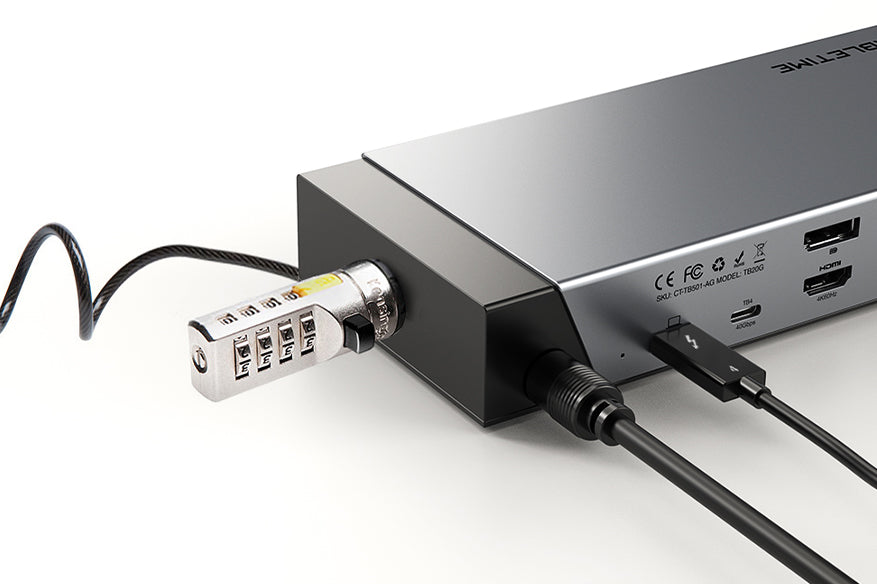
Security Lock
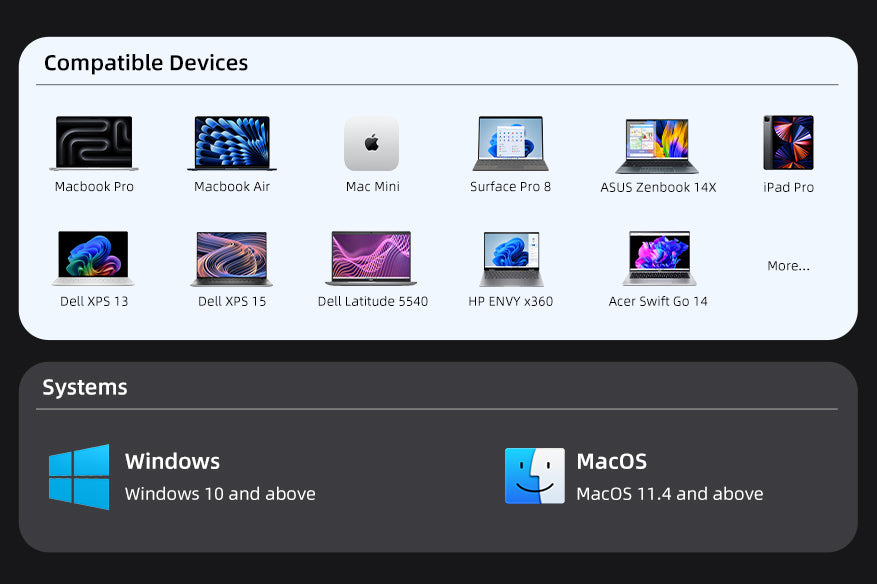
Universal Compatibility