





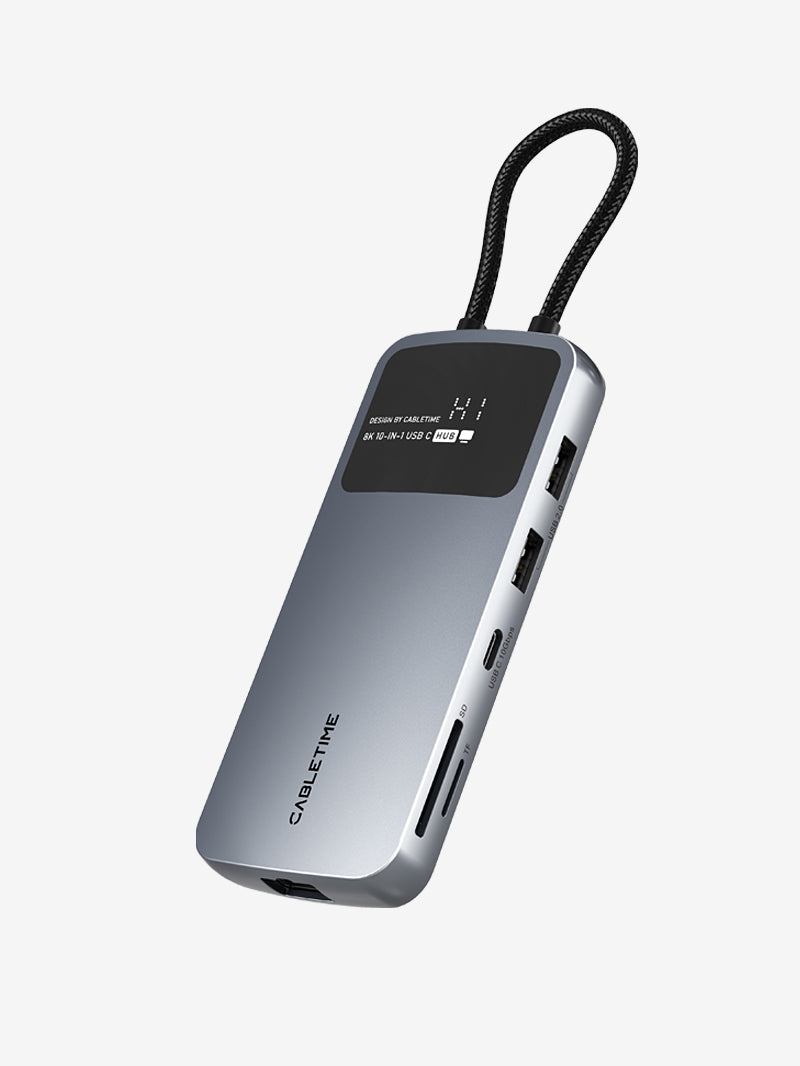
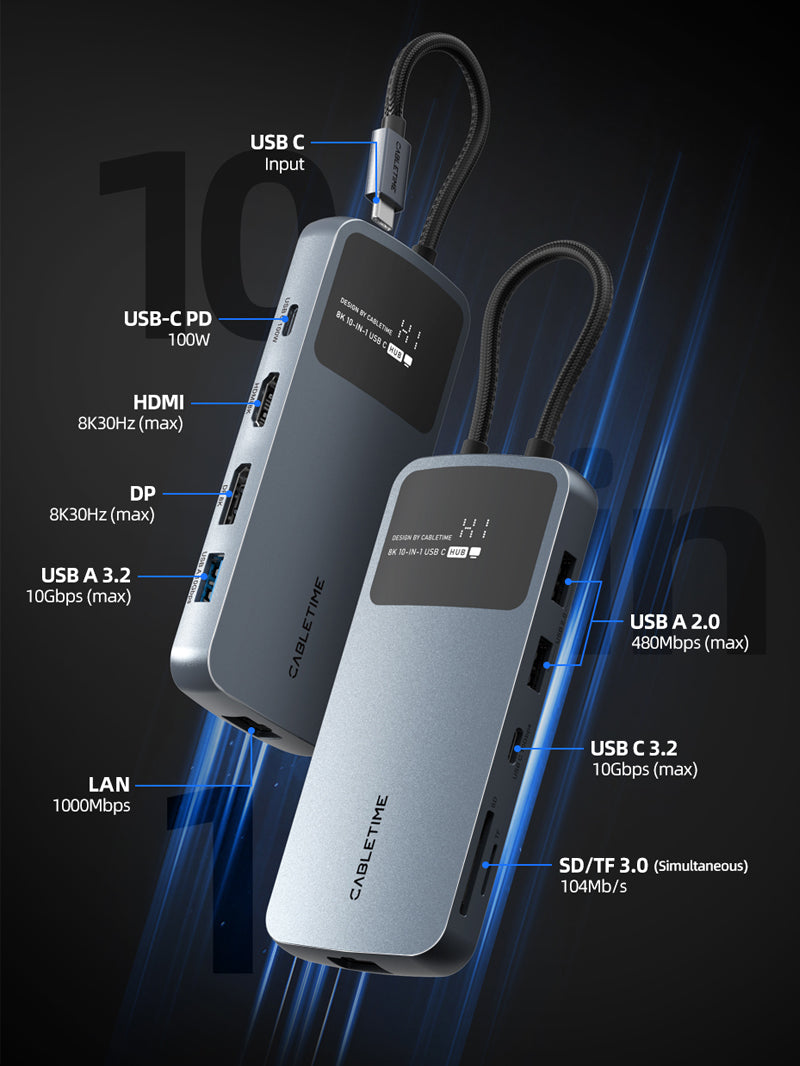
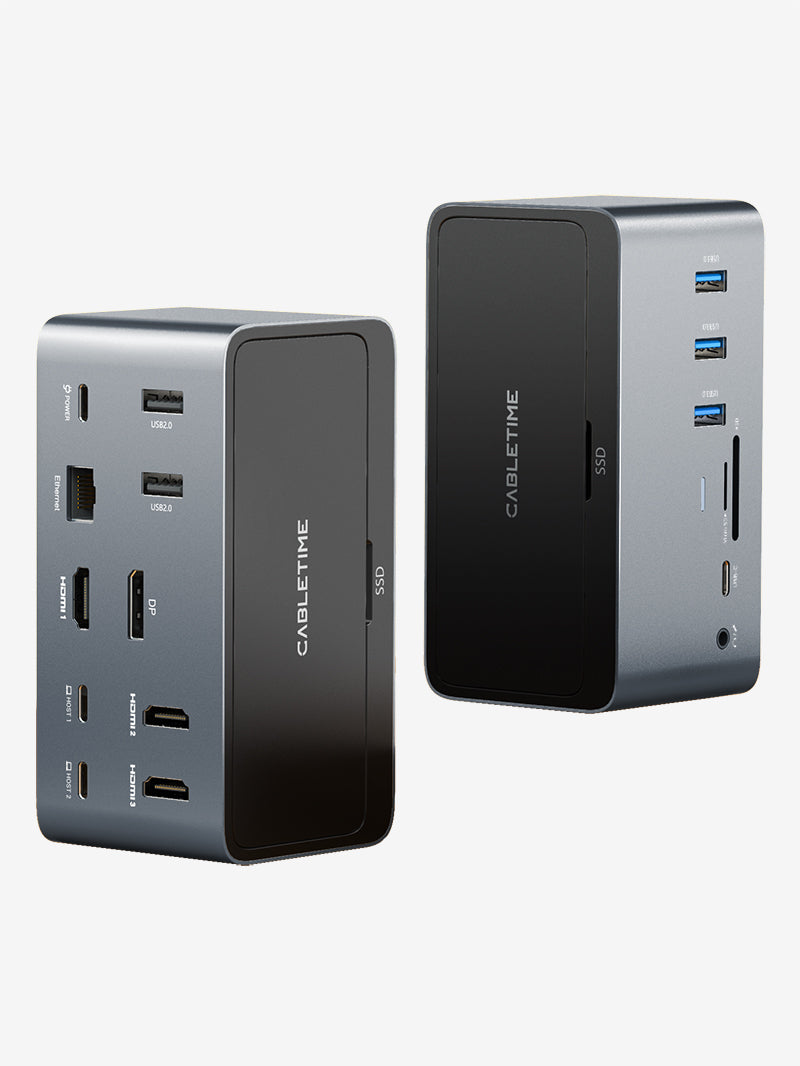
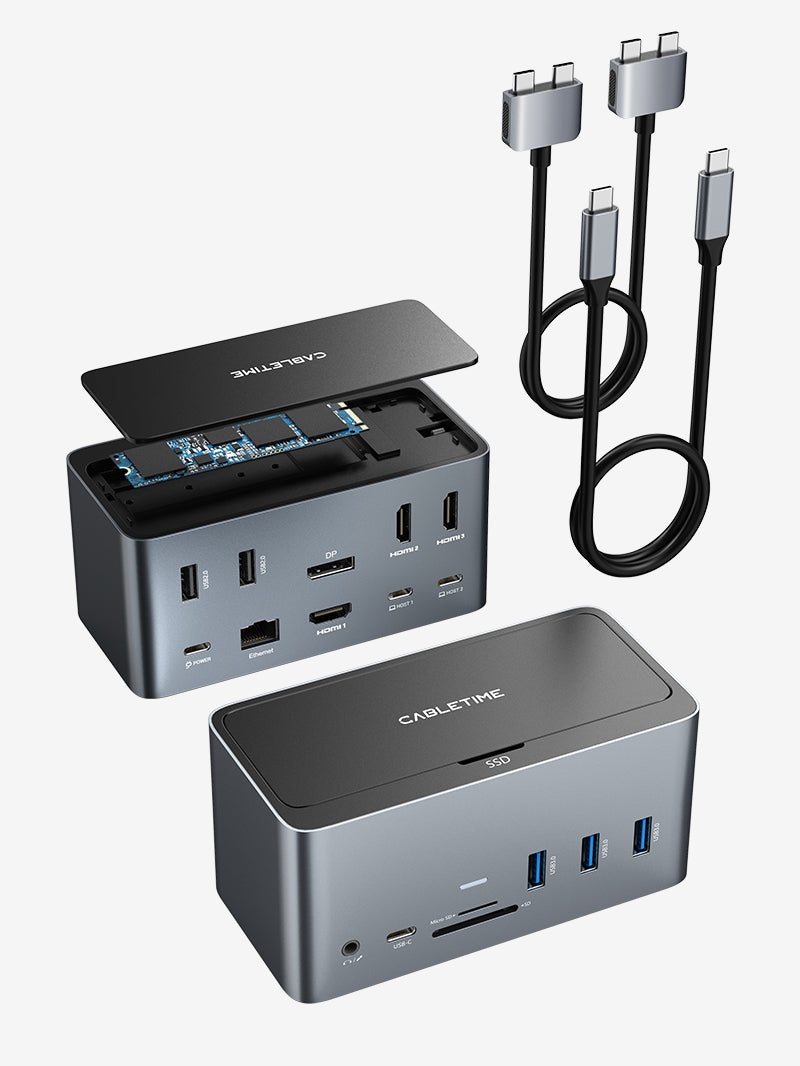


14-in-1 USB-C Docking Station with Smart Display & Touch Controls
14-in-1 USB-C Docking Station with Smart Display & Touch Controls
Shipping & Delivery
Shipping Policy
Last updated: March 19, 2026
Thank you for shopping with CABLETIME. This Shipping Policy explains our order processing times, shipping methods, delivery estimates, shipping restrictions, and other important information related to the delivery of your order.
1. Shipping Fee
We offer free standard shipping on orders over USD $25.00.
Shipping fees for orders below the free shipping threshold will be calculated and displayed at checkout.
2. Order Processing Time
Orders are usually processed within 0–2 business days after payment is confirmed.
Please note that orders are not processed or shipped on weekends or public holidays.
During peak seasons, promotional periods, or due to unforeseen circumstances, processing times may be slightly delayed.
3. Estimated Delivery Time
Estimated delivery time depends on the destination country or region, shipping carrier, customs clearance, and local delivery conditions.
- Order processing time: 0–2 business days
- Estimated shipping time: 4–20 business days
- Total estimated delivery time: Processing time + shipping time
Please note that all delivery times are estimates only and are not guaranteed.
4. Shipping Destinations
CABLETIME ships to most countries and regions where postal or courier services are available.
However, due to logistics limitations, customs restrictions, local regulations, carrier availability, or operational constraints, we are currently unable to ship to certain destinations.
United States exceptions:
- Alaska
- American Samoa
- Guam
- Marshall Islands
- Northern Mariana Islands
- Palau
- Rhode Island
- U.S. Virgin Islands
- Armed Forces Americas
- Armed Forces Europe
- Armed Forces Pacific
International destinations not currently supported:
- Afghanistan
- Angola
- Anguilla
- Antigua and Barbuda
- Bahamas
- Bahrain
- Barbados
- Belize
- Bermuda
- Burkina Faso
- Burundi
- Cameroon
- Cape Verde
- Cayman Islands
- Christmas Island
- Comoros
- Congo (Brazzaville)
- Congo (Kinshasa)
- Cook Islands
- Curaçao
- Djibouti
- Dominica
- Dominican Republic
- East Timor
- Equatorial Guinea
- Eritrea
- Ethiopia
- Falkland Islands
- French Guiana
- French Polynesia
- French Southern Territories
- Gabon
- Gambia
- Ghana
- Grenada
- Guinea
- Guinea-Bissau
- Guyana
- Haiti
- Isle of Man
- Kiribati
- Lebanon
- Lesotho
- Liberia
- Libya
- Liechtenstein
- Madagascar
- Malawi
- Mali
- Martinique
- Mauritania
- Mauritius
- Mayotte
- Montenegro
- Montserrat
- Mozambique
- Namibia
- Nauru
- Netherlands Caribbean
- New Jersey
- Niger
- Nigeria
- Niue
- Norfolk Island
- North Macedonia
- Palestinian Territories
- Papua New Guinea
- Pitcairn Islands
- Rwanda
- Saint Barthélemy
- Saint Helena
- Saint Kitts and Nevis
- Saint Lucia
- Saint Martin
- Saint Pierre and Miquelon
- Saint Vincent and the Grenadines
- Samoa
- Sao Tome and Principe
- Seychelles
- Sierra Leone
- Solomon Islands
- Somalia
- South Georgia and the South Sandwich Islands
- South Sudan
- Sudan
- Suriname
- Eswatini
- Tanzania
- Togo
- Tonga
- Tristan da Cunha
- Turks and Caicos Islands
- Zimbabwe
Shipping availability may change from time to time based on carrier and customs conditions. The most accurate shipping availability will be shown at checkout. If you are unsure whether we can ship to your destination, please contact us at support@cabletimetech.com before placing your order.
5. Duties, Taxes, and Customs Fees
For international orders, import duties, taxes, customs clearance fees, and other related charges may apply depending on your country or region.
These charges, if applicable, are the responsibility of the customer unless otherwise stated at checkout.
CABLETIME is not responsible for delays caused by customs clearance procedures.
6. Order Tracking
Once your order has been shipped, you will receive a shipping confirmation email with tracking information.
Please allow up to 24 hours for the tracking information to become active.
You may also track your shipment through the carrier’s tracking page or a universal tracking platform such as 17TRACK.
7. Address Changes
Please make sure your shipping address is correct before submitting your order.
If you need to change your shipping address, please contact us as soon as possible at support@cabletimetech.com.
Once an order has been shipped, we may not be able to change the delivery address.
8. Delivery Delays
Delivery may be delayed due to factors beyond our reasonable control, including but not limited to:
- Customs inspections or clearance delays
- Severe weather
- Public holidays
- Carrier service disruptions
- Remote delivery locations
- Other force majeure events
We appreciate your understanding in such situations.
9. Multi-Item Orders
If your order contains multiple items, they may be shipped separately depending on stock availability, warehouse arrangements, packaging requirements, or shipping methods.
If this happens, you may receive multiple shipment notification emails and separate tracking numbers.
10. Order Cancellation
If you need to cancel an order, please contact us at support@cabletimetech.com as soon as possible.
- Orders may be canceled before they are processed or shipped
- Once an order has been shipped, it can no longer be canceled
- If you no longer need the item after shipment, please refer to our Return Policy
11. Contact Us
If you have any questions about shipping, delivery, or order status, please contact us:
CABLETIME
Email: support@cabletimetech.com
Your payment information is processed securely. We do not store credit card details nor have access to your credit card information.
Key Features
Key Features
Couldn't load pickup availability

Widely Compatible
Use with a laptop whose USB-C port supports the functions you need: USB data for peripherals, DisplayPort Alt Mode for external video, and USB Power Delivery input for laptop charging. A data-only USB-C port cannot provide the dock's display output.
- Windows 10/11: Supports independent external desktops on compatible MST-capable systems. Representative laptops with the required video-capable USB-C and PD connectivity include Dell Vostro 5320 and Lenovo ThinkPad T14 Gen 2 (Intel). Maximum display combinations remain dependent on the individual host.
- macOS 13.5 or later: Supports compatible USB-C connections for desk expansion. External monitors connected through this dock display identical content; choose a different solution if you need independent external Mac desktops.
- ChromeOS: For compatible USB-C hosts. Confirm the Chromebook's video, charging and external-display limits for the intended setup.
- Receiving displays: Connect monitors or TVs to the HDMI or DisplayPort outputs using suitable display cables.
Specs
| Brand | CABLETIME |
| Model | CB19G |
| Product | 14-in-1 Smart USB-C Docking Station |
| Host connection | Integrated 1m USB-C host cable, permanently attached to the dock |
| Expansion connections | 14, excluding the USB-C host connection |
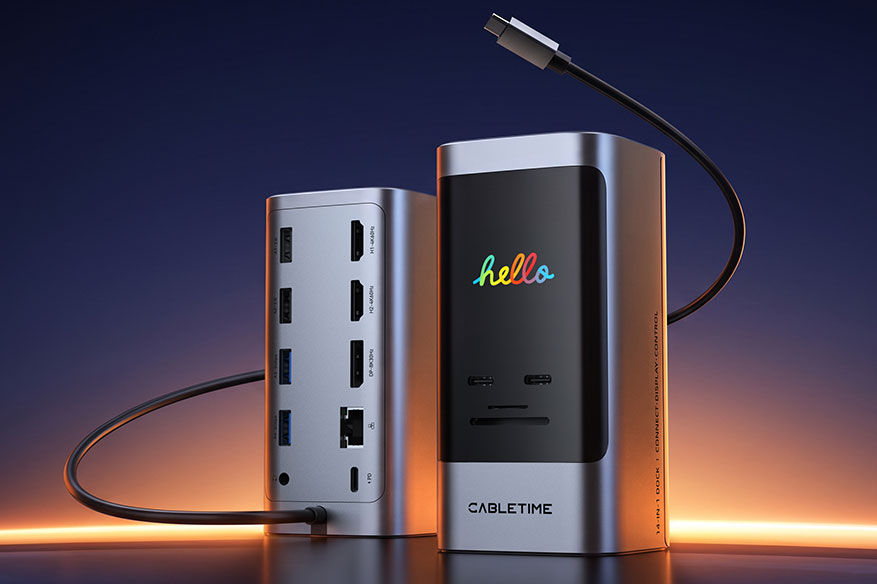
| HDMI outputs | 2 × HDMI; up to 4K at 60Hz with one display connected |
| DisplayPort output | 1 × DisplayPort; up to 8K30Hz or 4K144Hz on supported Windows single-display setups |
| USB-C data ports | 1 × USB-C 3.2, up to 10Gbps; 1 × USB-C 3.0, up to 5Gbps |
| USB-A data ports | 2 × USB-A 3.0, up to 5Gbps; 2 × USB-A 2.0, up to 480Mbps |
| Ethernet | 1 × RJ45; up to 1000Mbps |
| Card readers | 1 × SD 3.0; 1 × microSD/TF 3.0 |
| Audio | 1 × 3.5mm audio and microphone combo jack |
| Power input | 1 × USB-C PD input; up to 100W |
| Laptop charging | Up to 85W via the host connection |
| Built-in display | Port connection information, charging status and connected-monitor information |
| Touch controls | Mirror/extend switching; dock information-page switching; mouse-selected area screenshot; three dock-screen brightness settings; computer lock |
| Dock power control | Hold the interface key for 2 seconds to shut down the dock; press any key to restart while power is connected |
| Shortcut connection requirement | macOS requires a display connected to the dock's HDMI or DisplayPort output; Windows shortcuts do not require a video connection |
| Display modes | Windows MST: independent external desktops on supported systems; macOS: external displays show identical content |
| Operating systems | Windows 10/11, macOS 13.5 or later, ChromeOS; functions depend on host support |
| Video requirement | USB-C host port with DisplayPort Alt Mode; maximum modes depend on host graphics and display configuration |
| Charging requirement | Laptop supporting USB Power Delivery charging through the connected USB-C port, plus a suitable PD power source |
| Material | Aluminum alloy + plastic |
| Dimensions | 60 × 60 × 122mm |
| Host cable length | 1m; integrated, non-detachable |
| Warranty | 2 years |
| Package contents | 1 × docking station with integrated USB-C host cable; 1 × user manual; 1 × warranty card |
| SKU | CT-DK14D-AG |
Display Configuration
| Host / configuration | HDMI 1 | HDMI 2 | DisplayPort | Display behavior |
|---|---|---|---|---|
| Windows, single HDMI 1 | Up to 4K60Hz | — | — | One external display |
| Windows, single HDMI 2 | — | Up to 4K60Hz | — | One external display |
| Windows, single DP | — | — | Up to 8K30Hz or 4K144Hz | One external display |
| Windows, dual HDMI | Up to 4K60Hz | Up to 4K60Hz | — | Independent desktops or mirroring |
| Windows, HDMI 1 + DP | Up to 4K60Hz | — | Up to 4K60Hz | Independent desktops or mirroring |
| Windows, HDMI 2 + DP | — | Up to 4K60Hz | Up to 4K60Hz | Independent desktops or mirroring |
| Windows, triple | Up to 4K60Hz | Up to 4K30Hz | Up to 4K30Hz | Independent desktops or mirroring |
| macOS, single HDMI 1 | Up to 4K60Hz | — | — | One external display |
| macOS, single HDMI 2 | — | Up to 4K60Hz | — | One external display |
| macOS, single DP | — | — | Up to 4K144Hz | One external display |
| macOS, dual HDMI | Up to 4K60Hz | Up to 4K60Hz | — | External screens show the same image |
| macOS, HDMI 1 + DP | Up to 4K60Hz | — | Up to 4K60Hz | External screens show the same image |
| macOS, HDMI 2 + DP | — | Up to 4K60Hz | Up to 4K60Hz | External screens show the same image |
| macOS, triple | Up to 4K60Hz | Up to 4K60Hz | Up to 4K60Hz | External screens show the same image |
Maximum modes require a compatible host, monitor and display cable. Actual output depends on host graphics and display configuration. On macOS, external screens connected through this dock show identical content.
Can I use this docking station for three monitors?
Will my MacBook show different content on each external monitor?
Will it work with any USB-C laptop?
Does 100W PD mean my laptop receives 100W?
Can I use 8K or 4K144Hz with three monitors connected?
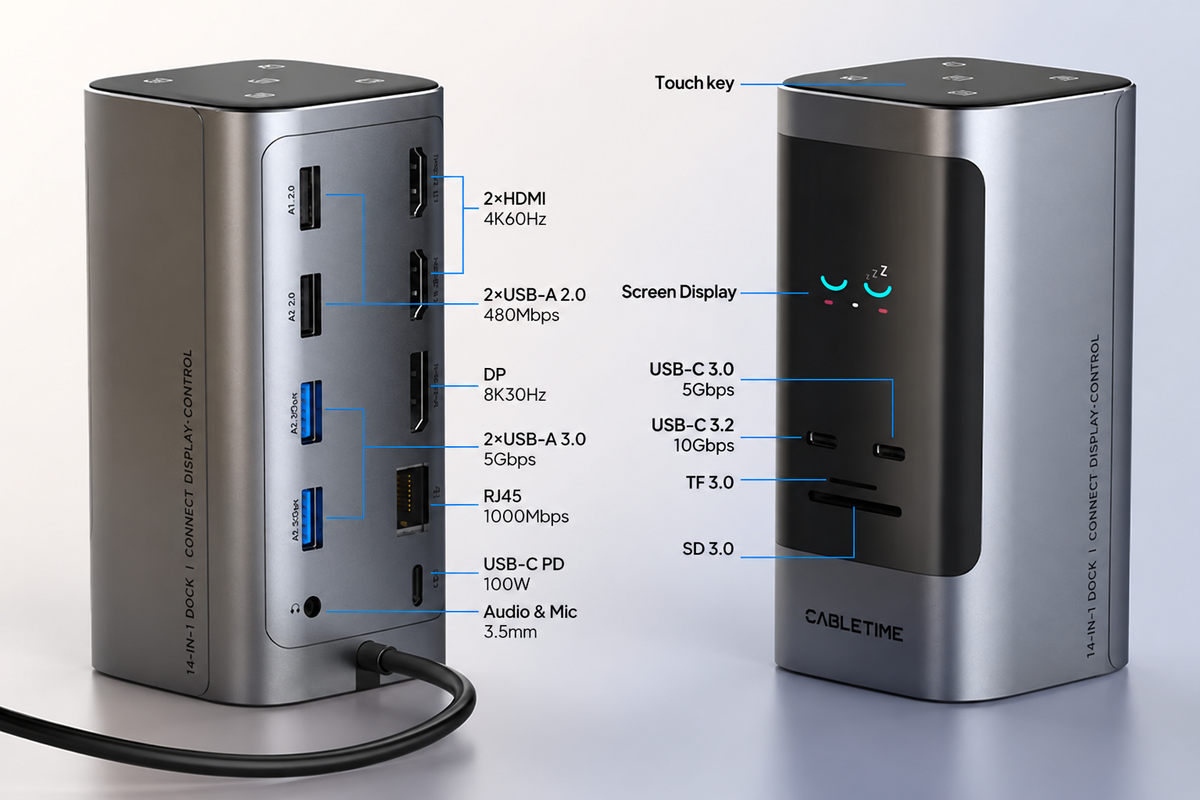
14 Ports for Displays, Data & Charging
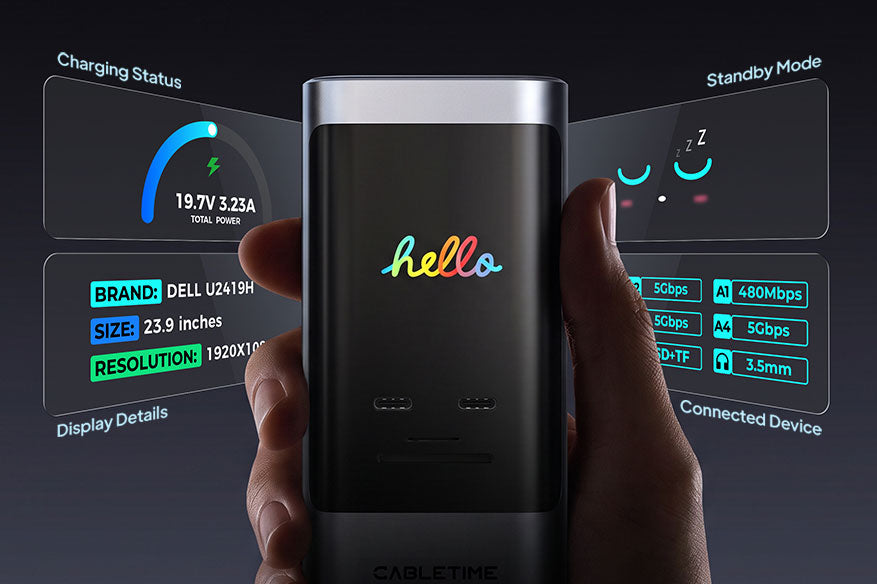
Built-In Smart Display for Dock Status
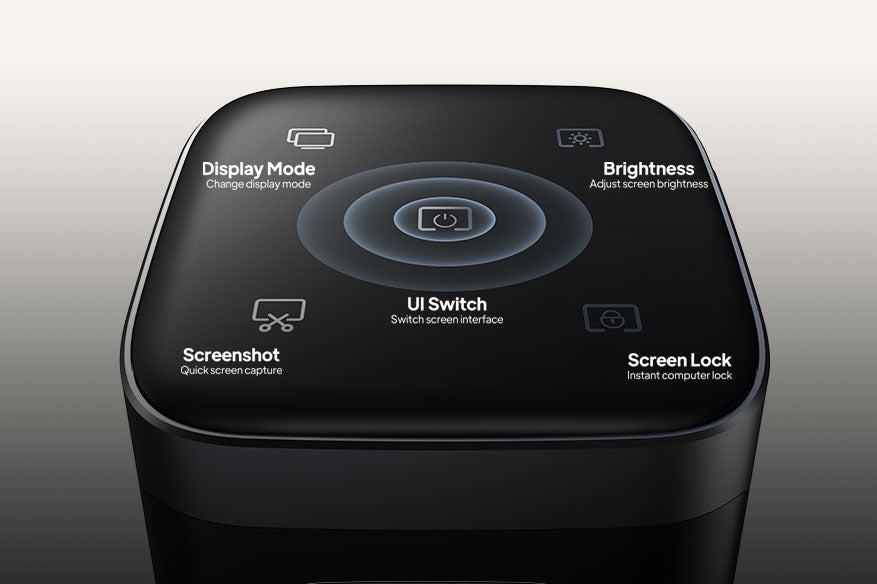
Five Touch Controls: Screenshot, Lock & More
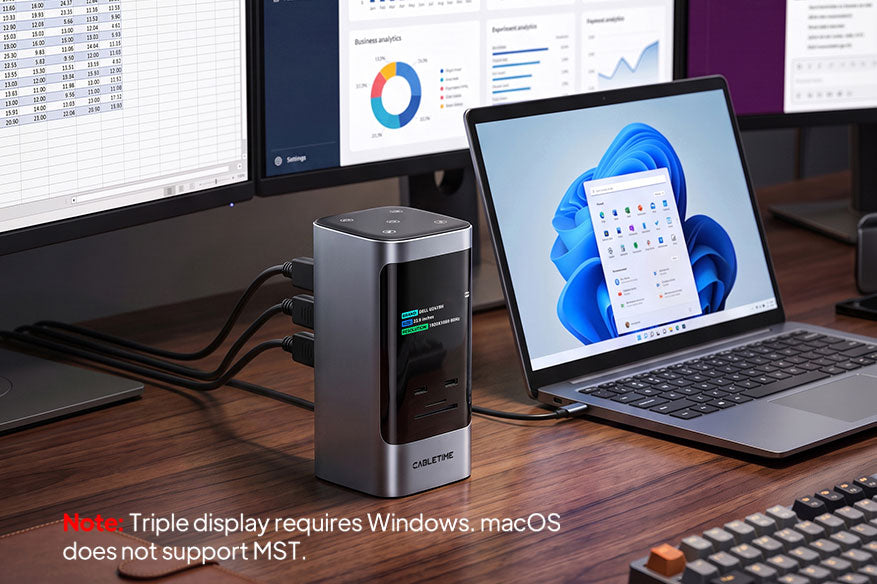
Triple-Monitor Extension for Windows
Max Output up to 8K30Hz
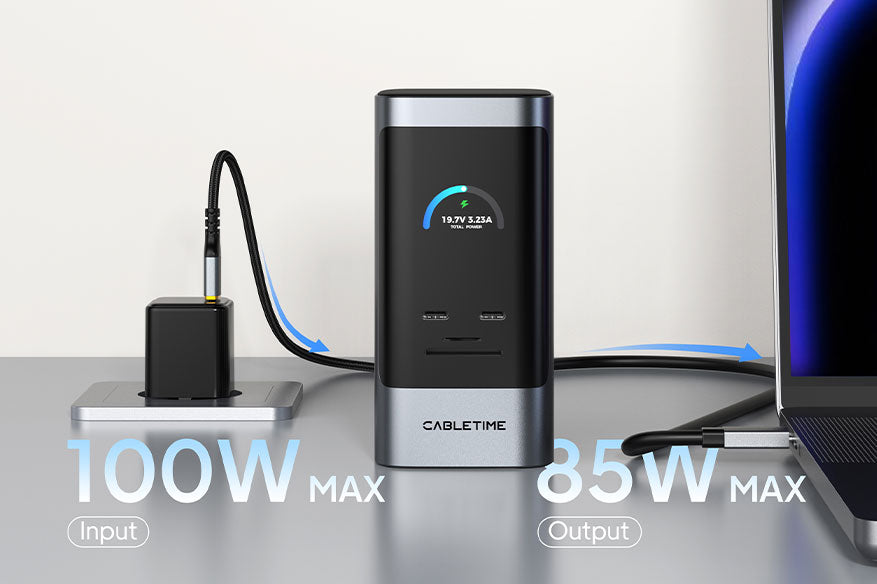
100W PD Input, Up to 85W Laptop Charging
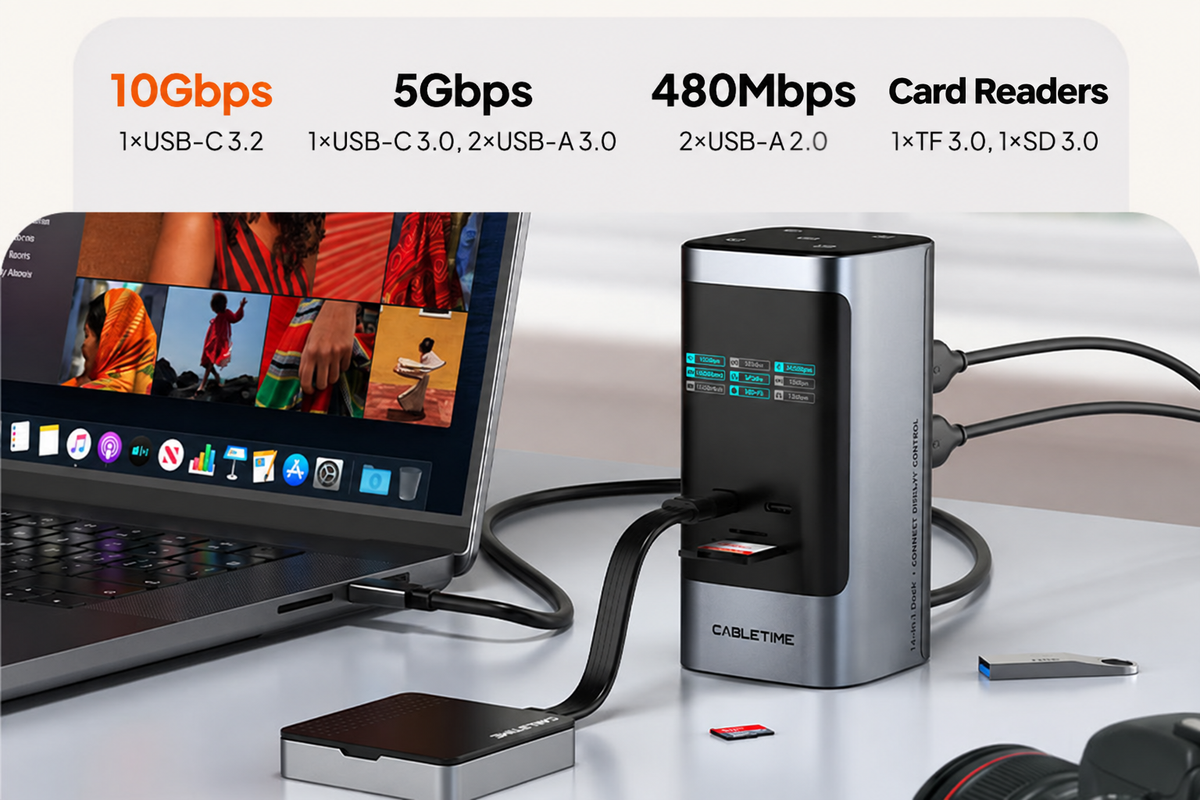
Data Transfer up to 10Gbps
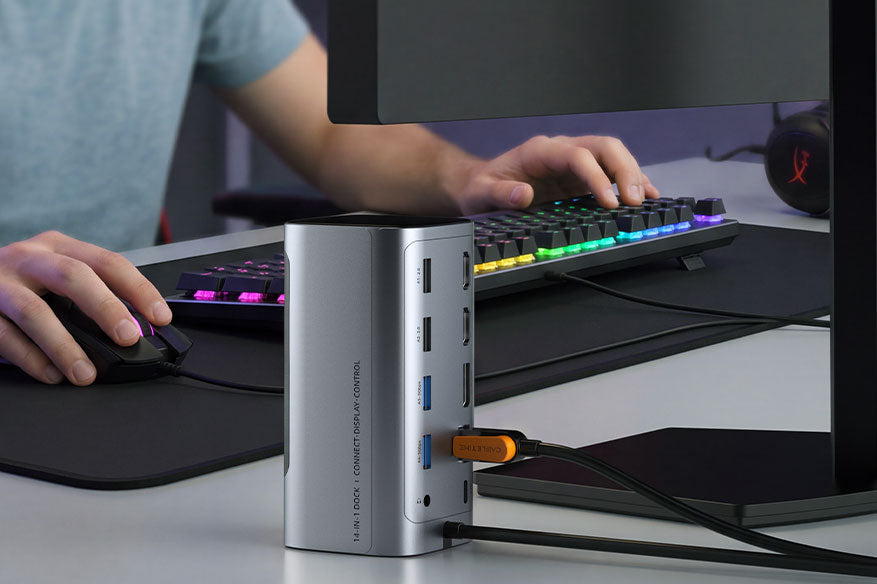
Gigabit Ethernet & 3.5mm Headset Audio
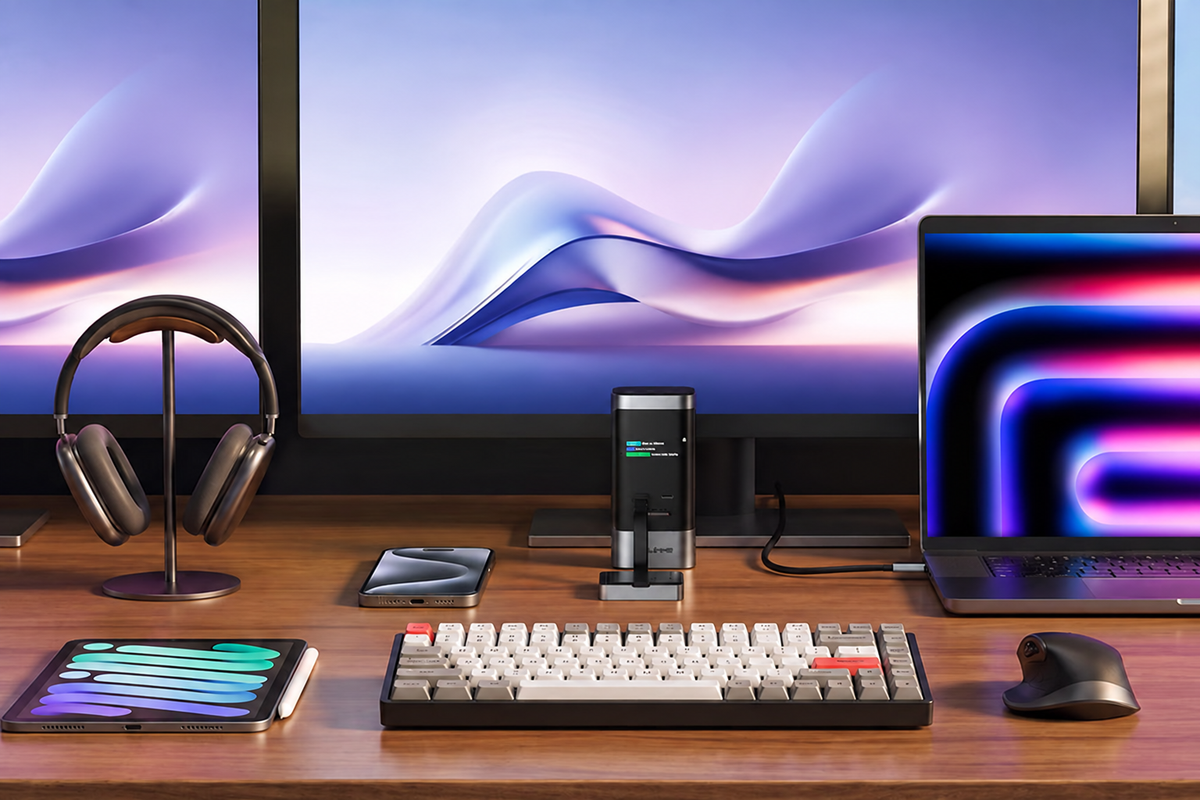
Compact Vertical Design